The best fashion design software and tutorials for 2026
There’s a lot of noise in the industry around fashion design software and fashion design software tutorials, but a quick Google shows the results are to be desired.
The best fashion design software in 2026 depends on what you need it to produce. Adobe Illustrator remains the standard for technical flats. CLO and Browzwear lead 3D garment simulation. And a new category, AI fashion design and production platforms, now covers the ground between concept and factory, turning sketches into renders, tech packs, and line sheets grounded in real, sourceable fabrics. Make the Dot sits in that last category, and yes, it is our platform.
We first published this guide in 2023, after a decade spent implementing design software with brands including Champion, Lululemon and Hugo Boss. This is the fully revised 2026 edition. The biggest change since the last version is not an update to any single tool. It is that an entire category has appeared.
In this guide, we’ll look at the key fashion design software on the market, its use cases, strengths and weaknesses, and the best fashion design software tutorials to get started.
But for those of you who can’t wait, here’s TL;DR:
- Make the Dot best for going from concept to production-ready, with AI grounded in real fabrics and production data
- Adobe Illustrator best for Technical Sketches
- CLO best for 3D Visualizations (especially for fit)
- Browzwear best for 3D Technical Output
- Style3D best for 3D Ease of Use
- Bandicoot best for Fabric Digitiation
- Swatchbook best for Digital Materials
- Blender best for 3D Rendering
How do fashion design software tools work?
Firstly, let's understand how fashion design software works before we learn which CAD software is best for fashion design and our recommended fashion software tutorials.
Fashion design software allows fashion designers to digitize their concepts and sketches, making them manufacturable. It is the tool that turns an idea into a manufacturable garment.
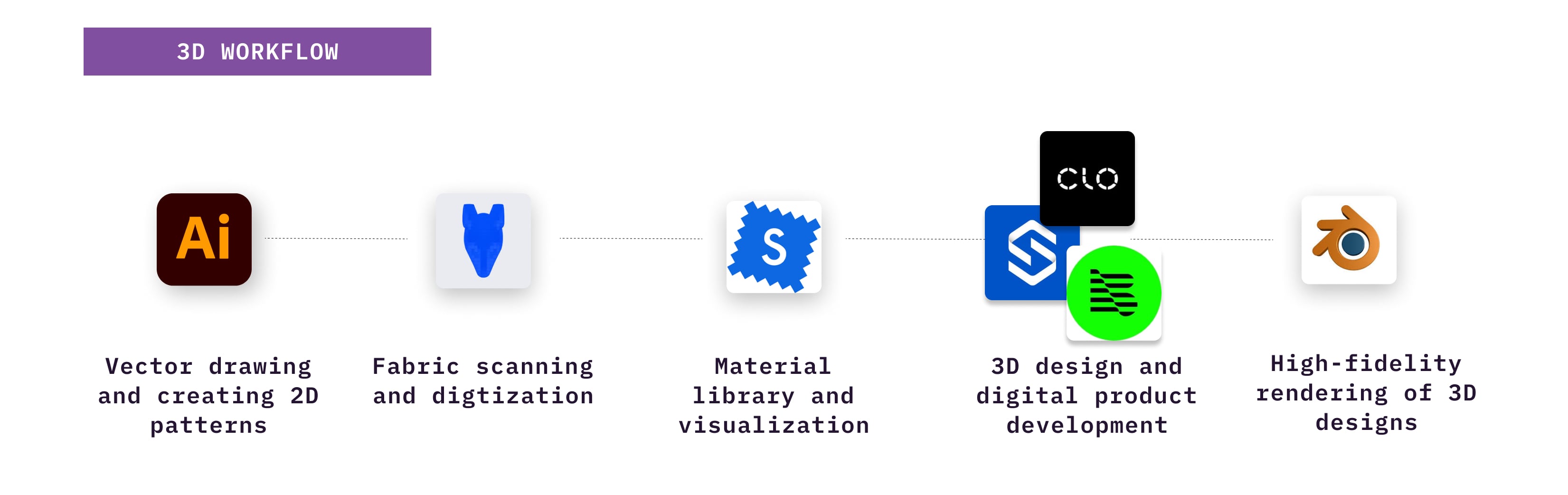
The exact app used by fashion designers to design varies, but the process usually involves the following steps:
- The designer sketches a garment offline or using a non-technical fashion design software, like Procreate. This sketch is more conceptual and doesn’t contain the actual 2D or 3D pattern needed to construct a garment
- The designer then uses technical fashion design software, like Adobe Illustrator, to create the outline, elements, and 2D pattern pieces of the garment in exact sizes
- Next the 2D pattern pieces are stitched together in 3D fashion design software with fabrics , colors giving a 3D visualization of the final look, drape and any necessary iterations.
- 3D rendering is the final step in the process of 3D design, which involves creating models of objects, texturing those objects and adding lighting to the design to make it seem even more realistic.
The output from these different fashion design softwares is a tech-pack containing construction specifications that are sent to a vendor for actual physical product creation.
ot every designer touches every step in software. Some go straight from a Procreate sketch to a tech pack. Others live in 3D fashion design software. The right stack depends on your category, your team, and how much of the process you want to keep in one place.
What Makes the Best Fashion Design Software
In the last decade, we have collaborated with renowned brands such as Kohls, Lululemon, Champion, Hugo Boss, and many others to streamline their product development process through digitization. As a result, we have had the opportunity to use, implement, and evaluate a wide range of apps fashion designers use to design.
We evaluate every tool in this guide on three criteria, the same three we used when implementing software for wholesale and DTC brands.
Ease of Use
If software is hard to learn, meaning fashion designers need some form of fashion design software tutorial to use them and the cost of rolling it out
across a team can outweigh the benefit. This is the historic weakness of 3D tools, and it is the main problem the newest platforms set out to solve: plain-language editing means the whole team can work in the tool, not just the trained specialist.
This can mitigate the potential benefits of digital design and product development or take longer to realize.
Additionally, it is less enjoyable for a fashion designer who is used to a pencil and sketchbook's natural flow and feel.
A less enjoyable process can result in a lower-quality output.
Visualization
The closer the on-screen design is to the physical garment, the fewer physical samples you need, and the more confident every downstream decision becomes. Look closely at how a tool handles fabric. A render draped in a real, digitized fabric behaves differently from one dressed in an invented texture. This reduces the need for physical samples, resulting in environmental and cost-savings.
However, replicating the look and feel of fabrics, textures, drapes, and fit digitally is incredibly challenging and cannot completely replace the real-life experience.
And, these are critical factors that most consumers consider when purchasing a garment.
Therefore, it is essential that CAD software for fashion design accurately captures these details so that designers can have confidence in the final product produced from their designs.
Technical Output
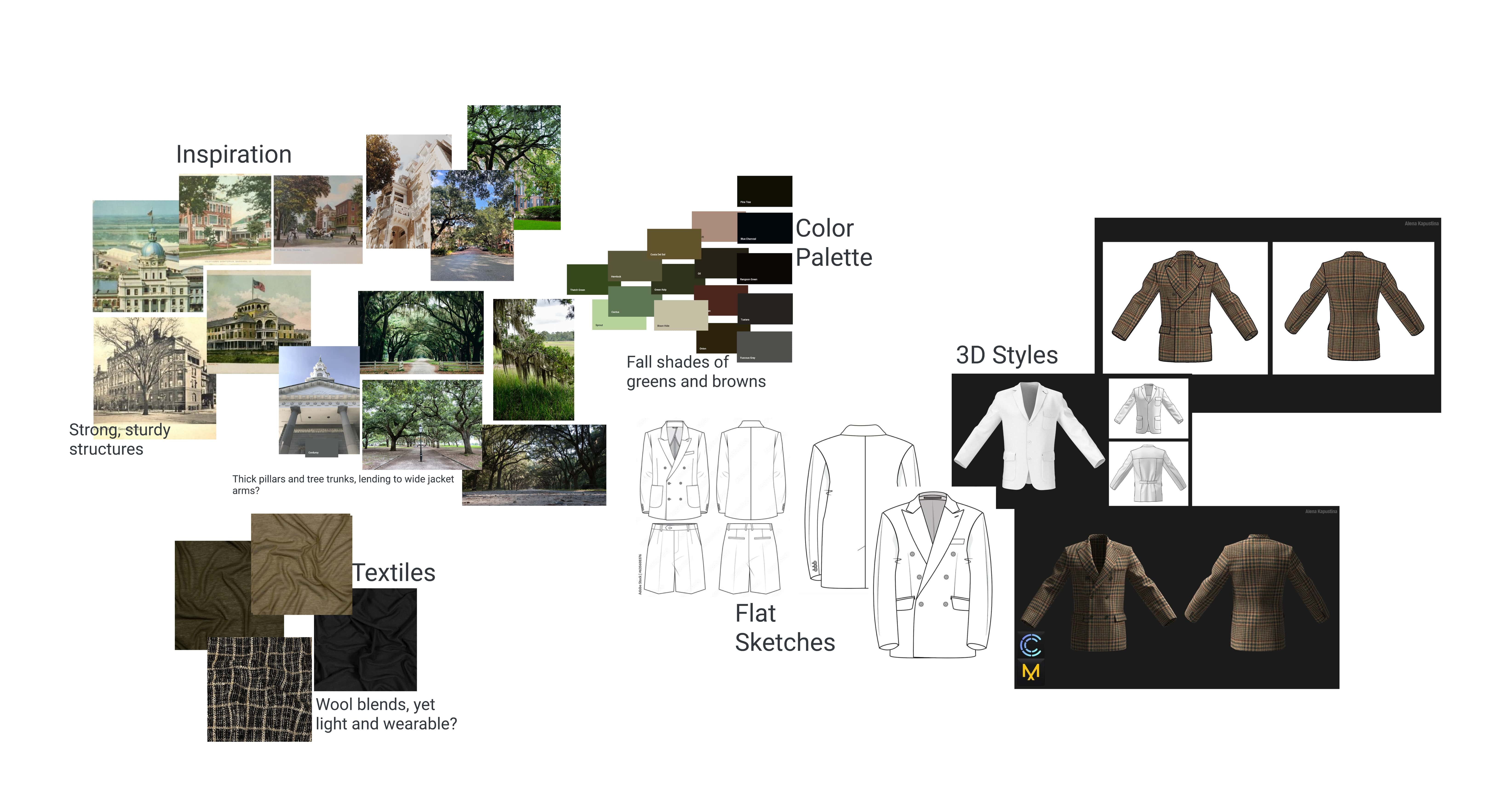
A beautiful render that cannot be manufactured is a mood board. The best fashion design software produces output a factory can execute: accurate patterns, complete tech packs, correct measurements. This is where generated-image tools fall short, and where grounded platforms and 3D simulation earn their keep.
The best CAD software for fashion design depends on whether the digital design can be manufactured, and closely this replicates the previous physical process.
This means that the digital design can be translated into an accurate pattern file and tech-pack that will be used to create a physical garment.
To ensure this, the draping and fit of the style within the fashion design software should be incredibly accurate.
If not, the software for fashion design is nothing more than a visualization tool.
The Best Fashion Design Software at a Glance
Make the Dot
Best for
Concept to Production-Ready
Standout Features
AI fashion design and production platform where every render, tech pack, and line sheet is grounded in real, sourceable fabrics. The whole team can use it, not just trained specialists.
Pricing
- $149 pm Studio
- $899 pm Brand
- Ask for Enterprise
Adobe Illustrator
Best for
All-round Design
Standout Features
All round industry design tool to draw vector-based flat files and 2D patterns.
Pricing
- 7-day free trial
- $23 pm Individual
- Ask for Enterprise
CLO
Best for
Visualizations
Standout Features
Market-leading visualizations of fabrics and textures.
Pricing
- Free trial
- $25 pm Student
- $50 pm Individual
- Ask for Enterprise
Raspberry.ai
Best for
Fast concept imagery
Standout Features
Generates fashion concept imagery from prompts and reference images at high volume. Compresses ideation from days to hours.
Pricing
- By request
Browzwear
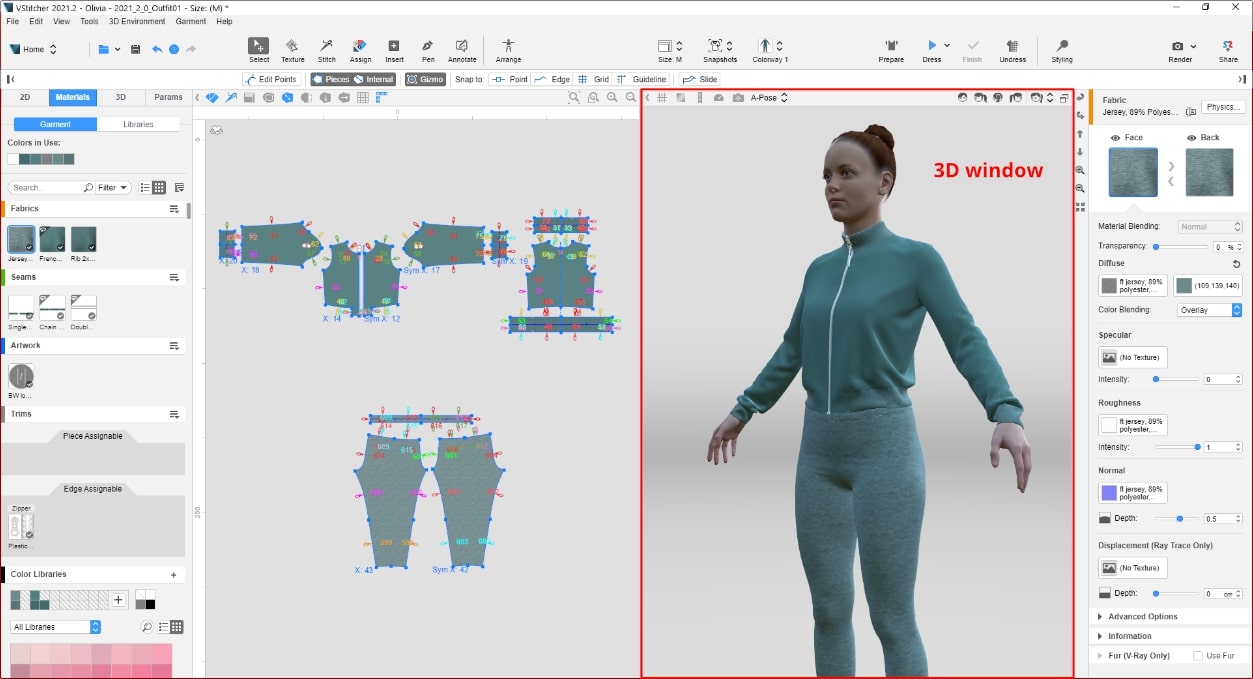
Best for
Technical Output
Standout Features
Technically accurate output with the fashion design software compatible with many other platforms.
Pricing
- 7-day free trial
- Ask for paid
Style3D
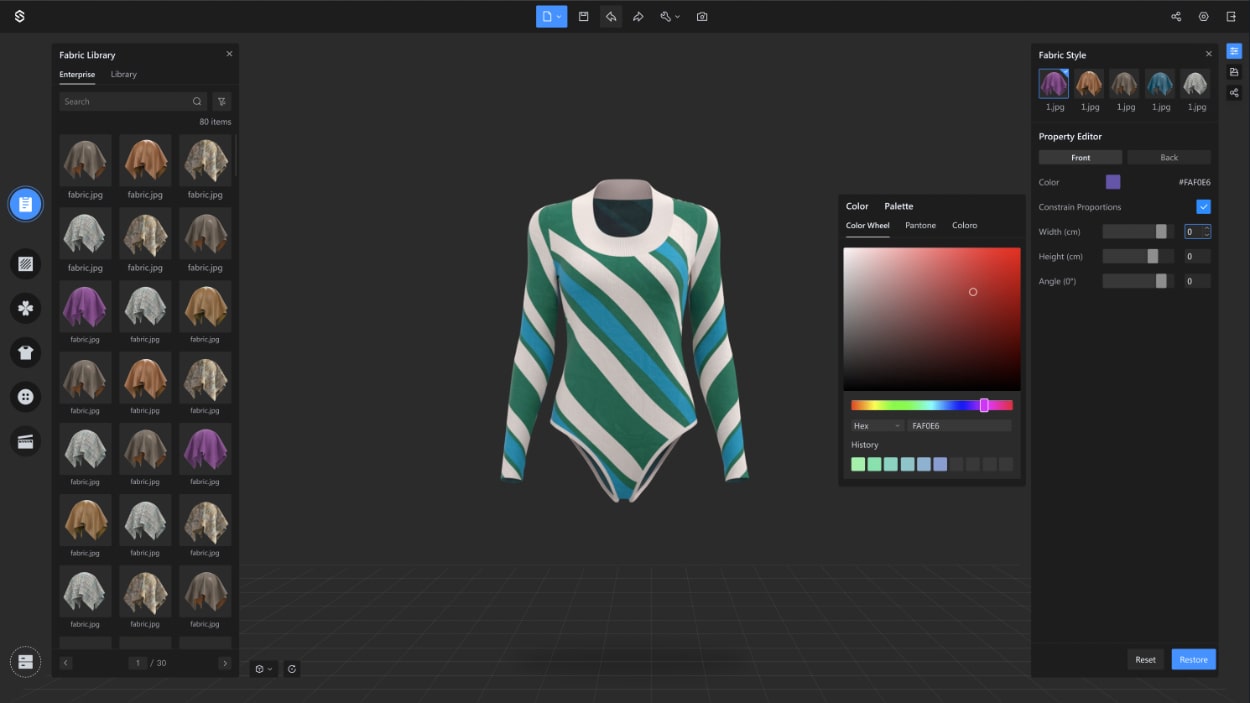
Best for
Ease of Use
Standout Features
User-friendly beginner software for designers with a less technical background.
Pricing
- 7-day free trial
- Ask for paid
Bandicoot
Best for
Fabric Digitization
Standout Features
Fabric scanning and digtization of physical swatches with outputs compatible with 3D fashion design software.
Pricing
- $149 for Starter
- $699 for Professional
- $1980 for Enterprise
Swatchbook
Best for
Digital fabrics and materials
Standout Features
3D fashion design software compatible fabrics that have high quality physics, composition and draping for 3D designs.
Pricing
Ask
Blender
Best for
3D Rendering
Standout Features
Cycles is an ultra-realistic rendering engine for 3D designs and outputs.
Pricing
- Free (included in Blender open-source package)
Make the Dot
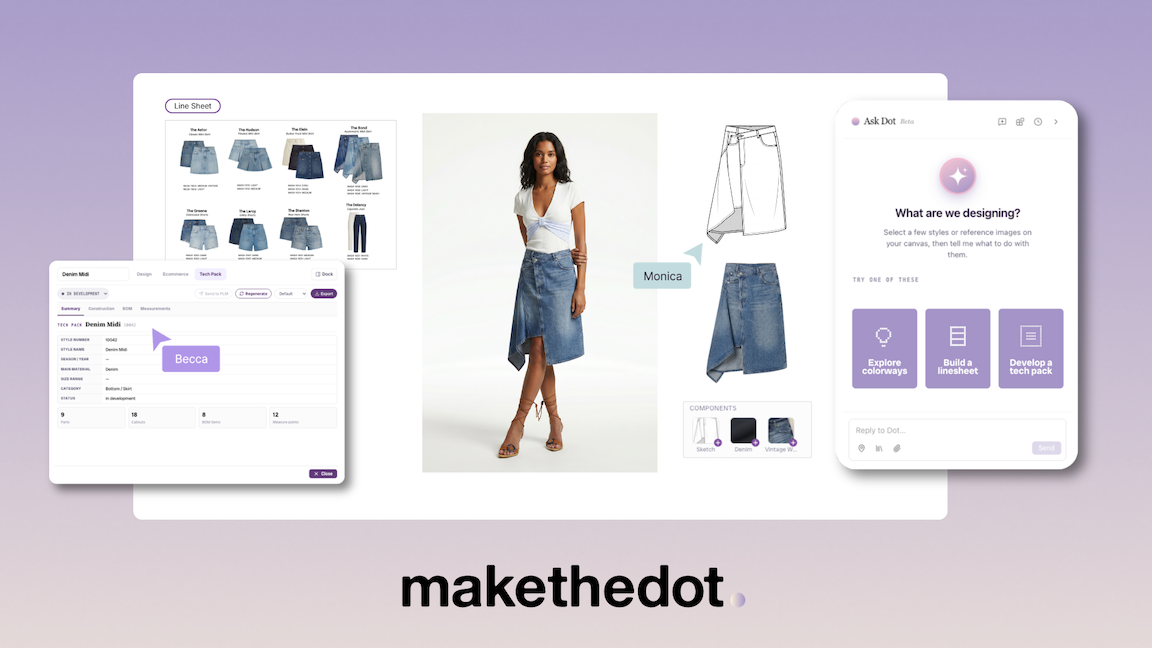
Make the Dot is an AI fashion design and production platform. Designers move from concept image to sketch, render, edit, and on-model output in one place, and every step is grounded in real, sourceable fabrics and production data rather than invented textures. That grounding is the point: the render you approve is a product your factory can make.
The newest part of the platform is Ask Dot, a conversational design agent available on every plan. Designers describe a change in plain language, shorten the sleeve, swap the fabric to the twill from the last collection, and Ask Dot makes the edit. It also generates production assets, tech packs and line sheets, directly from the design, and teams can save repeatable workflows as Skills to reuse across collections.
Teams behind products at Walmart use Make the Dot, and we partner with Li & Fung, one of the largest sourcing companies in the world, on supply chain integration.
Its strengths are that the whole team can use it, not just trained specialists, that output is production-ready rather than just presentable, and that fabric-level grounding means fewer surprises at sampling.
Make the Dot is not a 3D simulation tool. If your workflow depends on physics-accurate drape testing or virtual fit sessions, you will still want CLO or Browzwear alongside it. And it is built for teams making real products; if you want speculative concept art with no production intent, a pure image generator is cheaper.
Abobe Illustrator
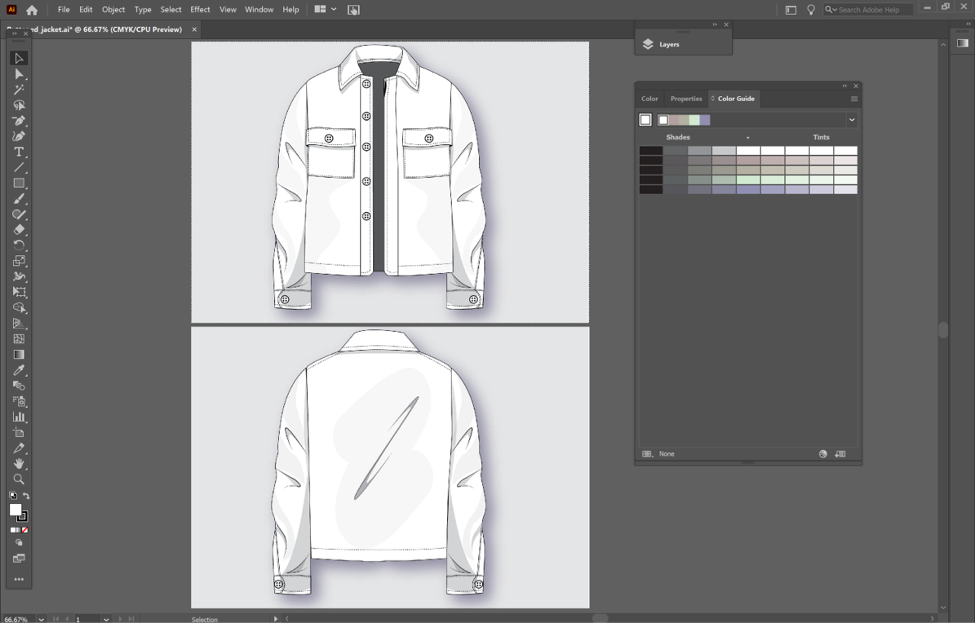
Illustrator remains the industry standard for vector-based technical flats vector-based drawing and 2D pattern work, and it is still the most requested skill in fashion design job listings.
Its strength is universality and its ability to perform the full design workflow from initial drawing to tech-pack output within the fashion design software. Every factory, every freelancer, and every design team can open an AI file. Adobe has also added Firefly-powered features that speed up colorway variations and repeat patterns. Additionally, since most designs come from existing flat files that are altered before being sent to manufacturing, the debate is more about whether 3D is required in this use case.
Its weakness is everything after the flat. Illustrator cannot show you how a garment fits, drapes, or looks on a body, so any visualization happens in another tool.
CLO
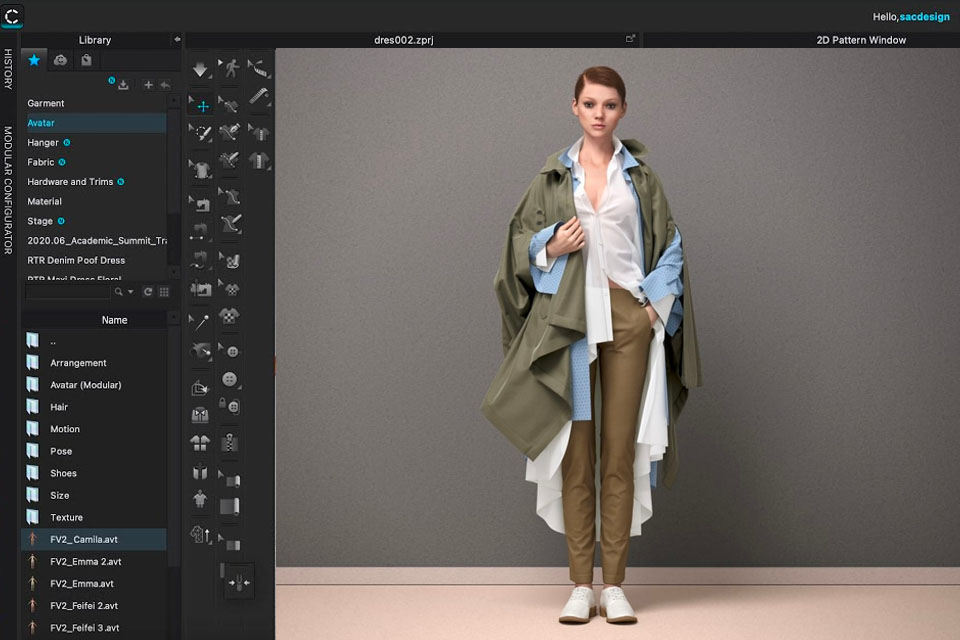
CLO leads 3D garment simulation on visualization quality. Its fabric and drape rendering is the most realistic in the category, which is why it dominates fashion schools and is the most common 3D requirement in job postings.
The trade-offs are unchanged from previous editions of this guide. The learning curve is steep, budget two to three months to reach production quality. The ecosystem is relatively closed. And enterprise licensing is priced accordingly.
CLO leads 3D garment simulation on visualization quality. Its fabric and drape rendering is the most realistic in the category, which is why it dominates ffashion schools globally and is the most common 3D requirement in job postings.
However, there are a few downsides to consider.
Firstly, the learning curve to get started with CLO is high, and the number of tools within the fashion design software can be overwhelming.
Secondly, it is a closed fashion design software ecosystem that does not allow 3rd party applications.
Lastly, the cost for the industry is also quite high compared to Browzwear. Moreover, designers debate whether CLO's superior visualizations are necessary in an industry that values speed and fit over everything else.
Check out the full list of their software design products and feature list here.
Raspberry AI
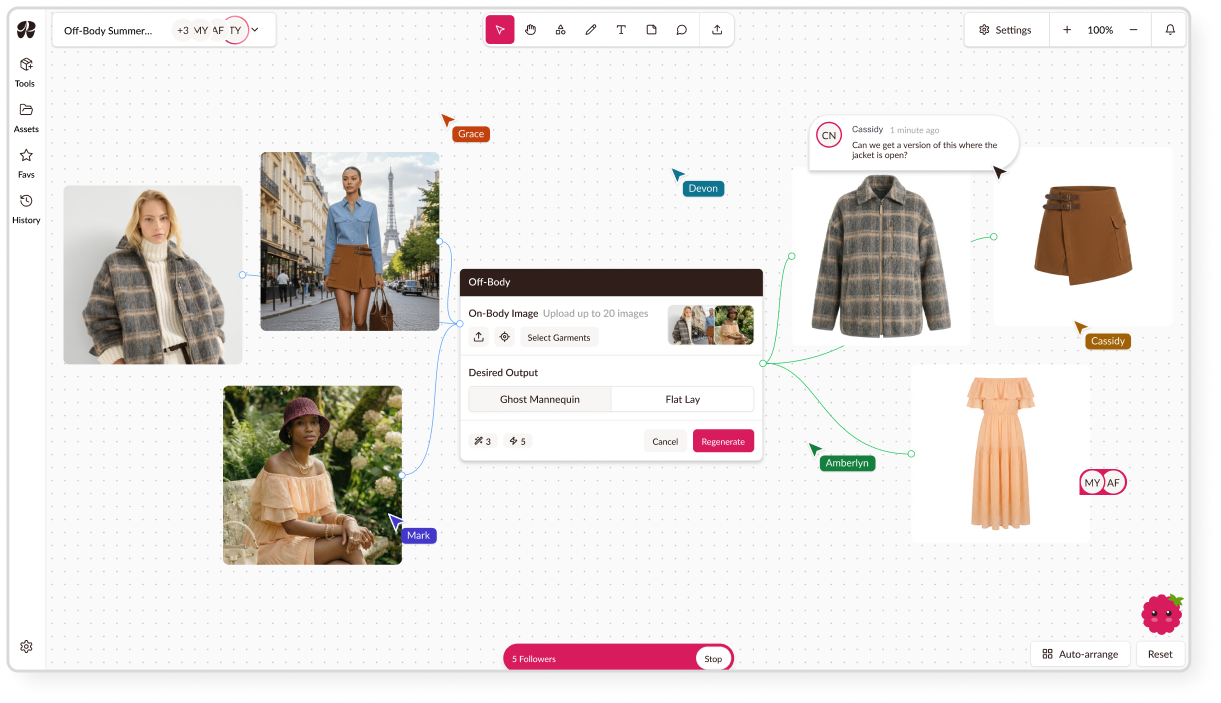
Raspberry AI generates fashion concept imagery from prompts and reference images, and it is fast. For teams that need a high volume of directional concepts for reviews and mood boards, it compresses ideation from days to hours.
The limitation is the one that defines its category: the output is an image, not a product. There is no fabric grounding and no production path, so everything it makes must be rebuilt downstream before a factory can touch it. Use it for ideation, not development.
Browzwear
Browzwearr, has designed its fashion design software with a focus on creating products that are easier to manufacture.
Most companies and brands in the industry have adopted this software due to its simplicity and ability to deliver manufacturing-friendly outputs with superior fit, with full pattern templates a really quick, easy and most importantly accurate starting point.
The software is also compatible with third-party PLM and Digital Asset Management tools, making it a more open fashion design software ecosystem.
However, the user interface and visualizations of the fashion design software are not as advanced as those of CLO.
As a result, the choice of which app design to use for fashion design depends on the desired output.
Check out the full list of their software design products and feature list here.
Style3D
Style3D positions itself as an easier, more user-friendly experience with faster rendering, and growing traction in virtual try-on and 3D-to-ecommerce workflows. It has matured considerably since our first review and is no longer just the beginner option.
Focused on beginner fashion designers with less technical expertise, the fashion design software aims to be an easy-to-use all-around for students and industry alike.
The fashion design software also has an open ecosystem, which is great for the industry. However, the application is still unproven in Western brands, with the fit output not up to the same level as Browzwear.
Check out the full list of their software design products and feature list here.
Bandicoot
Because of the expensive equipment evolved in the process fabric digitzation can be expensive, thats we're Bandicoot come in. Digitizing fabric well normally requires expensive scanning equipment.
Bandicoot provide an outsourced fabric scanning and digtization services to create high-quality PBR texture maps for 3D CAD used by brands, designers and marketplaces such as Swatchbook.
They take physical fabric swatches that can be captured as a simple photo and turn them into high fidelity digital outputs that can be used in 3D digital fashion design software to create 3D designs and for rendering.
If your visualization strategy depends on real fabrics looking real on screen, and it should, this is the supporting service that makes it possible. These 3D fabrics can also be configured and amended in the various 3D fashion design softwares.
Swatchbook
Focusing on the management and visualisation of materials , Swatchbook aims to provide a way for designers to explore materials in a variety of ways, browsing either their own inter libraries or the growing library of materials provided by Swatchbook’s partners, usually vendors or mills.
Whether they’re exploring their own materials or those from suppliers, Swatchbook’s library provides the user with an intuitive way to explore, group, collect and manage materials captured in a highly realistic way.
The materials (manually scanned from physical swatches), contains and the physical properties within the digital swatch, as well as being compatible with 3D fashion design software.
The realistic rendered fabrics can then be used in the 3D designs, giving designers life-like draping, fit and visuals, as well as a place for designers to store all their digital materials.
Think of it as the library layer of a digital materials workflow: Bandicoot captures, Swatchbook organizes, your design tool applies.
Blender (Cycles)
A fashion design software focused specifically on the rendering part of the 3D design, Cycles is the most feature-rich, production-proven renderer available in Blender.
It's is particularly good at recreating the intricacies of light bouncing around the scene and interacting with the various elements in it, which is usefully if the 3D design is also used for marketing assets further downstream.
The free and open-source software has already been used in many media productions, including the Netflix film Next Gen.
Being open source, Blender can be used with Browzwear, CLO and Style3D, offering a free solution for those fashion design softwares to maximise the visual outputs of their designs.
That being said, Cycles does have its limitations. It’s currently not as capable in areas such as caustics.
It’s also missing light-linking, a highly requested feature present in a lot of its direct competitors.
The Best Fashion Design Tutorials at a Glance
Finally, as all of this fashion design software requires some fashion design tutorial, which tutorials are best?
383 Design Studio
Best for
All round Training
Standout Features
The only source for easy and digestible courses on Illustrator, CLO and Browzwear
Pricing
- Free Starter Online
- $79 for Guide Book
- $199 - $275 for Classes
CLO
Best for
CLO Training
Standout Features
Personalized fashion design software tutorials and in-person training charged separately as part of paid packages
Pricing
- Ask for schools and enterprise
Browzwear
Best for
Browzwear Training
Standout Features
Easy-to-digest fashion design tutorials in video, blog and Webinar form
Pricing
- Free online starter content
- More advanced and personalized charged separately as part of paid packages
383 Design Studio
Mikelle Drew, an expert in fashion design software with over twenty years of experience, has trained popular brands such as Victoria's Secret, J Crew, Champion, GAP, PVH, and many more.
She is a renowned leader in fashion design software tutorials, with a YouTube channel that has over 20k subscribers.
Her focus is on creating easily accessible tutorials for fashion design software, which are easy to understand and digest.
She brings her experience from her FIT classroom to her tutorials in a unique and engaging way.
Her tutorials cover all the essential fashion software, providing students with the most comprehensive learning experience available in the market today.
CLO
CLO keeps its vast library of fashion design software tutorials behind a paywall for it’s paying customers, focusing on in-person tutorials and workshops as a key selling point.
The brands and schools we’ve worked with love its high-touch fashion design software tutorials carried out in person and tailored to the brand or school's needs.
This means no two workshops are the same, and individual learning paces can be accommodated.
However, this all comes with a cost, with brands paying north of figures plus for each workshop, supported by a vast online library of fashion design software tutorials.
Additionally, if your focus is on learning Browzwear, these fashion design software tutorials are useless.
Browzwear
Finally, Browzwear takes a more hybrid approach to it’s fashion design software tutorials, combining both free online starter tutorials with paid in-person training.
Designers and brands have the ability to get started and find easy answers in it’s online resources centre and Webinars, with more personalised fashion design software tutorials coming at an extra cost.
On the downside, however, for designers looking to learn other tools, these fashion design software tutorials still leave you looking for other sources.
Make the Dot help center and how-to guides
Our own learning resources are free and open: step-by-step how-to guides, a help center covering every tool on the platform, and video walkthroughs on YouTube. Because the platform is conversational, most designers make their first edit in minutes rather than weeks, which is the point.
Frequently asked questions
What software do fashion designers use in 2026?
Most professional fashion designers use a stack: Adobe Illustrator for technical flats, CLO or Browzwear for 3D visualization where budgets allow, and increasingly an AI fashion design and production platform such as Make the Dot to move from concept to tech pack in one place. Independent designers and small teams tend to consolidate into fewer tools; large enterprises run all of them together.
What is the best AI fashion design software?
It depends on whether you need images or products. For fast concept imagery, generative tools like Raspberry AI are strong. For designs grounded in real fabrics that can move into production, with tech packs, line sheets, and factory-ready specs, an AI fashion design and production platform like Make the Dot is built for that job. The dividing question: is the output grounded in real materials, or generated from nothing?
Can AI replace fashion designers?
No. AI in fashion design works when it does what the designer says: executing edits, handling repetitive production documentation, and rendering ideas faster. The creative decisions, which fabric, which fit, which silhouette, remain the designer's. Tools that promise to design for you tend to produce work that cannot be manufactured anyway.
What is the best free fashion design software?
Blender is the best fully free tool, though it is a general 3D package rather than fashion-specific. Most fashion platforms offer free trials instead: 30 days for CLO, 7 days for Illustrator, and trial access for Browzwear, Style3D, and Make the Dot.
What is the best fashion design software for beginners?
For a beginner aiming at industry employment, start with Illustrator, since it appears in more job listings than any other tool. For a beginner who wants to make real products quickly, a conversational platform is the fastest path, because plain-language editing removes most of the learning curve that 3D tools impose.
Is 3D fashion design software worth learning?
Yes, if you work in categories where fit is the product, such as performance, denim, and tailoring, or at brands that have committed to digital sampling. Job data consistently shows CLO and Browzwear as preferred skills for technical design roles. Treat 3D as a second skill after your 2D foundation, not the first.

The best fashion design software and tutorials for 2026
The Background and Story of Why we Started Make the Dot